
Using mriqc with neurodesk on HPC#
A brief guide to using mriqc with neurodesk.
This tutorial was created by Kelly G. Garner.
Github: @kel_github
This workflow documents how to use MRIQC with neurodesk and provides some details that may help you troubleshoot some common problems I found along the way.
Assumptions#
Your data is already in BIDS format
You plan to run mriqc using Neurodesk
NOTE: MRIQC has its $HOME variable hardcoded to be /home/mriqc. This leads to problems on some HPCs. A workaround is to run this before mriqc:
export neurodesk_singularity_opts="--home $HOME:/home"
Steps#
Launch Neurodesk#
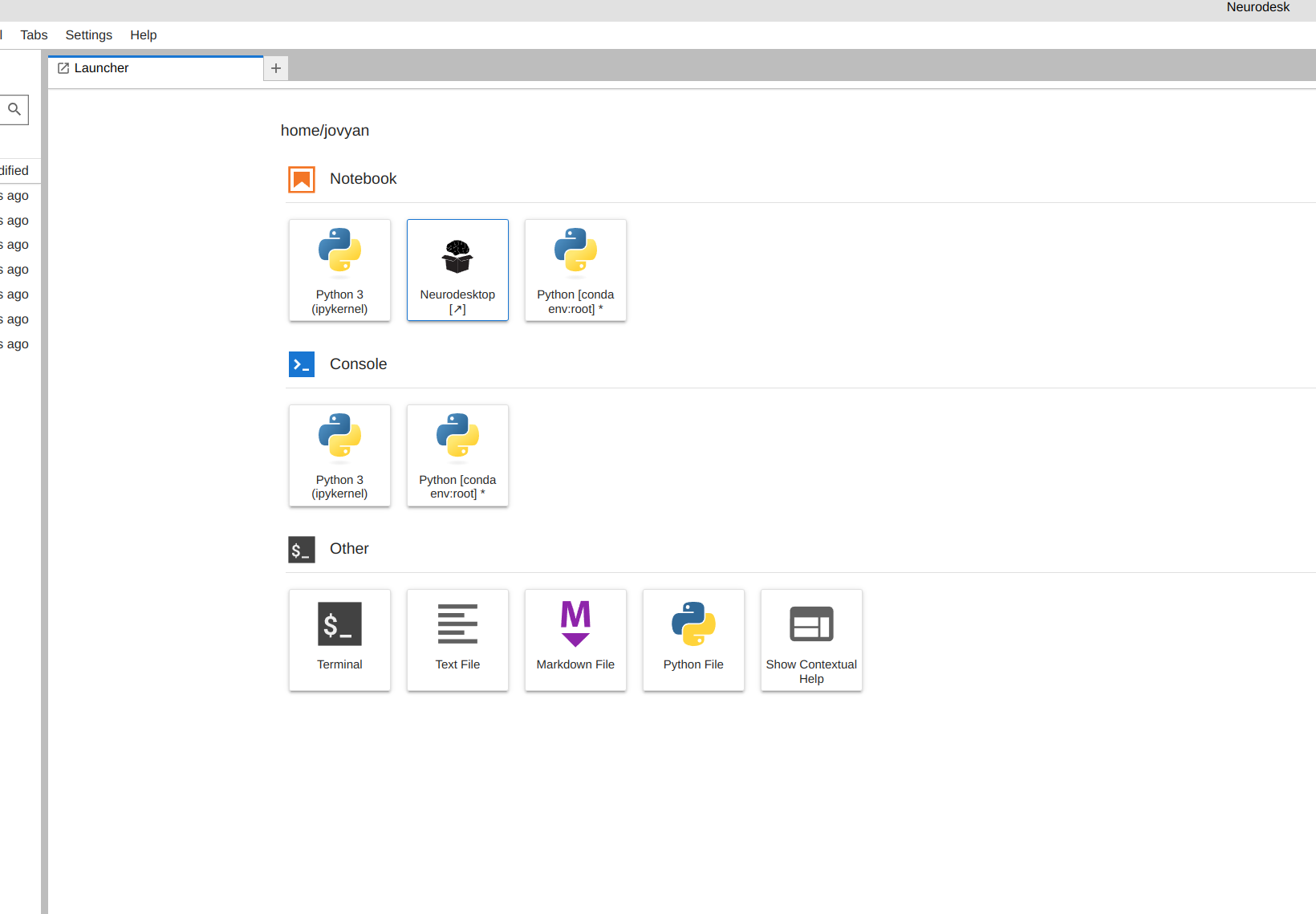
From the launcher, click the Neurodesktop icon:
Open MRIQC#
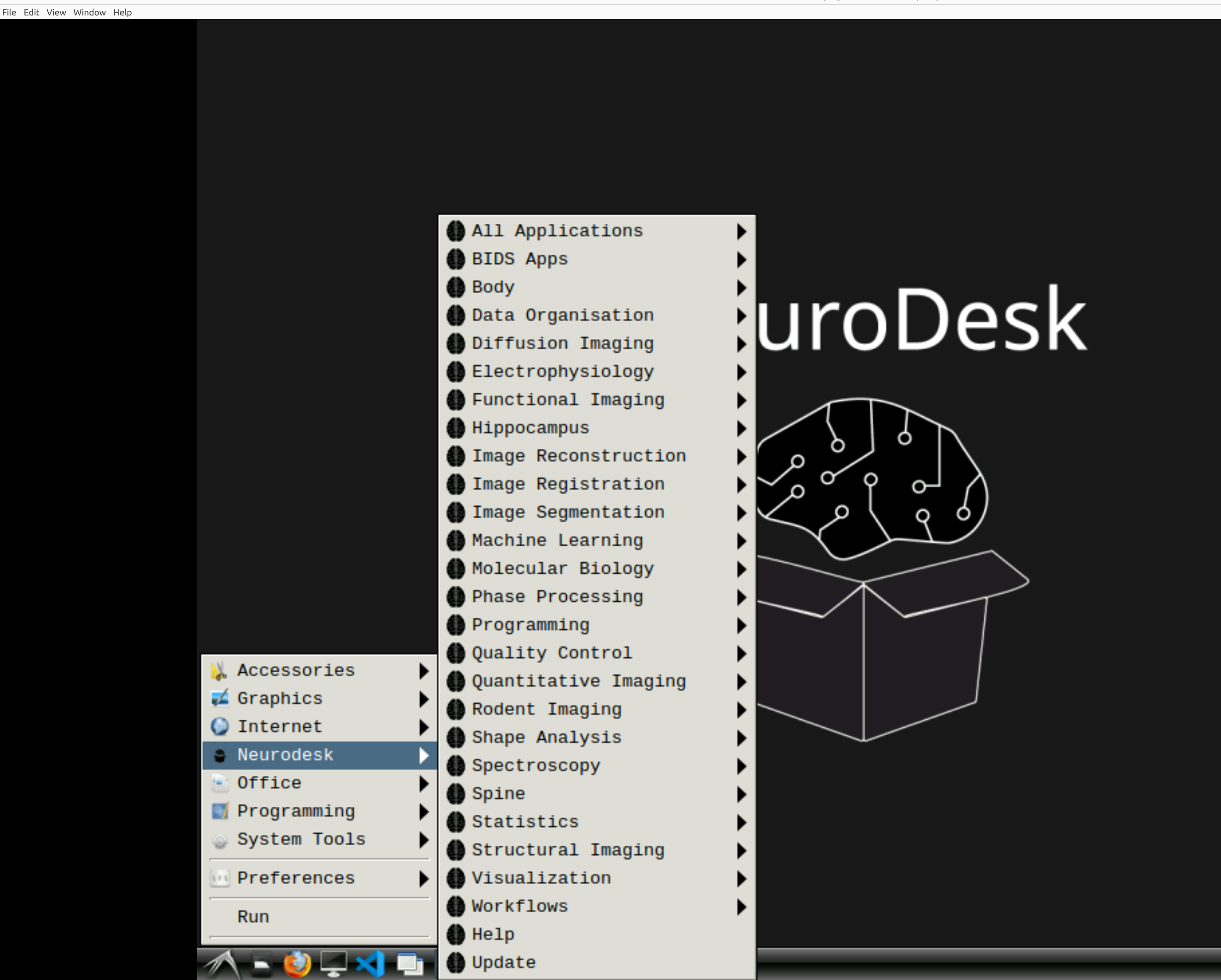
Now you’re in Neurodesk, use the menus to first open the neurodesk options
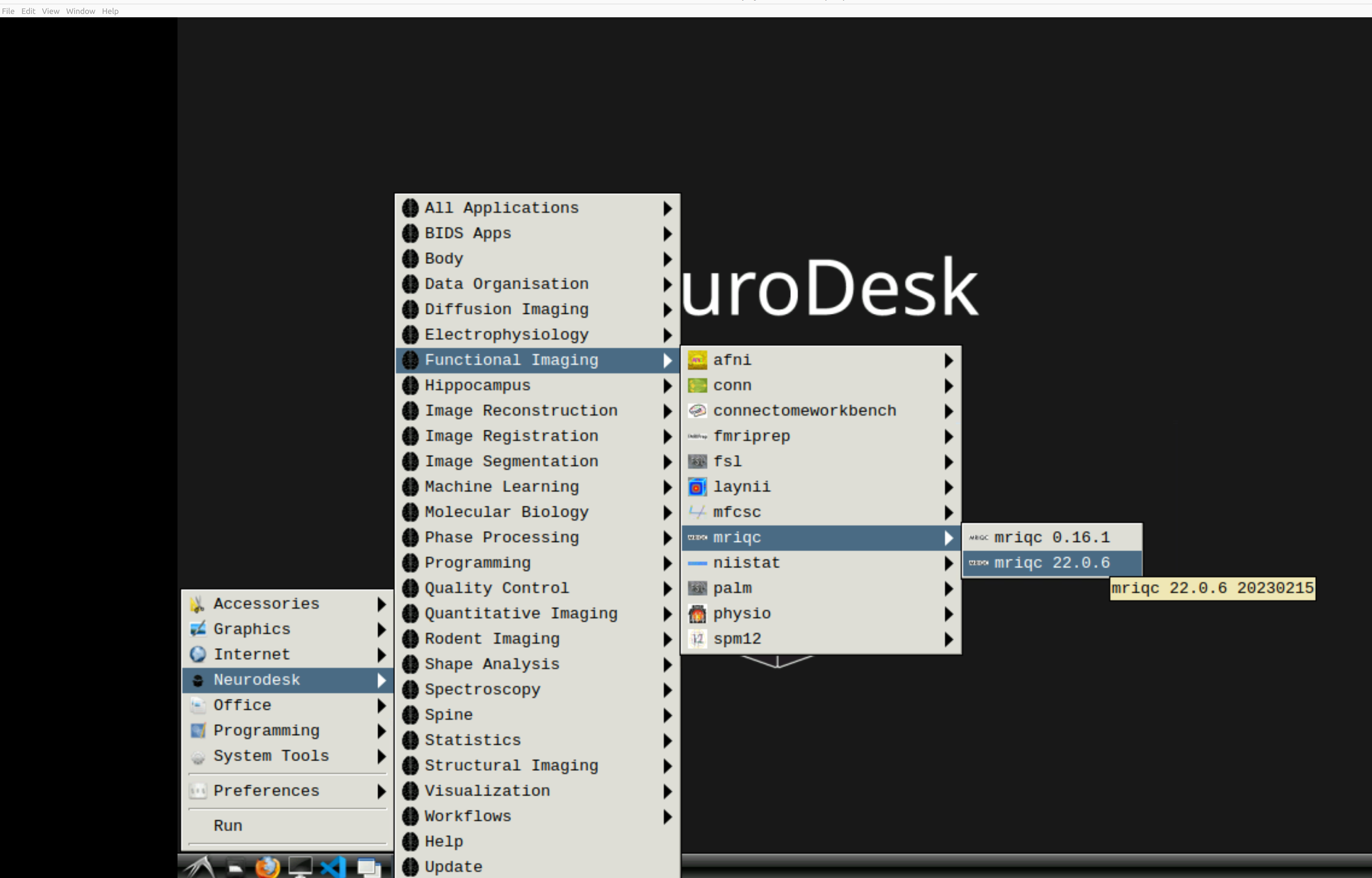
and then select MRIQC. Note that the latest version will be the lowest on the dropdown list:
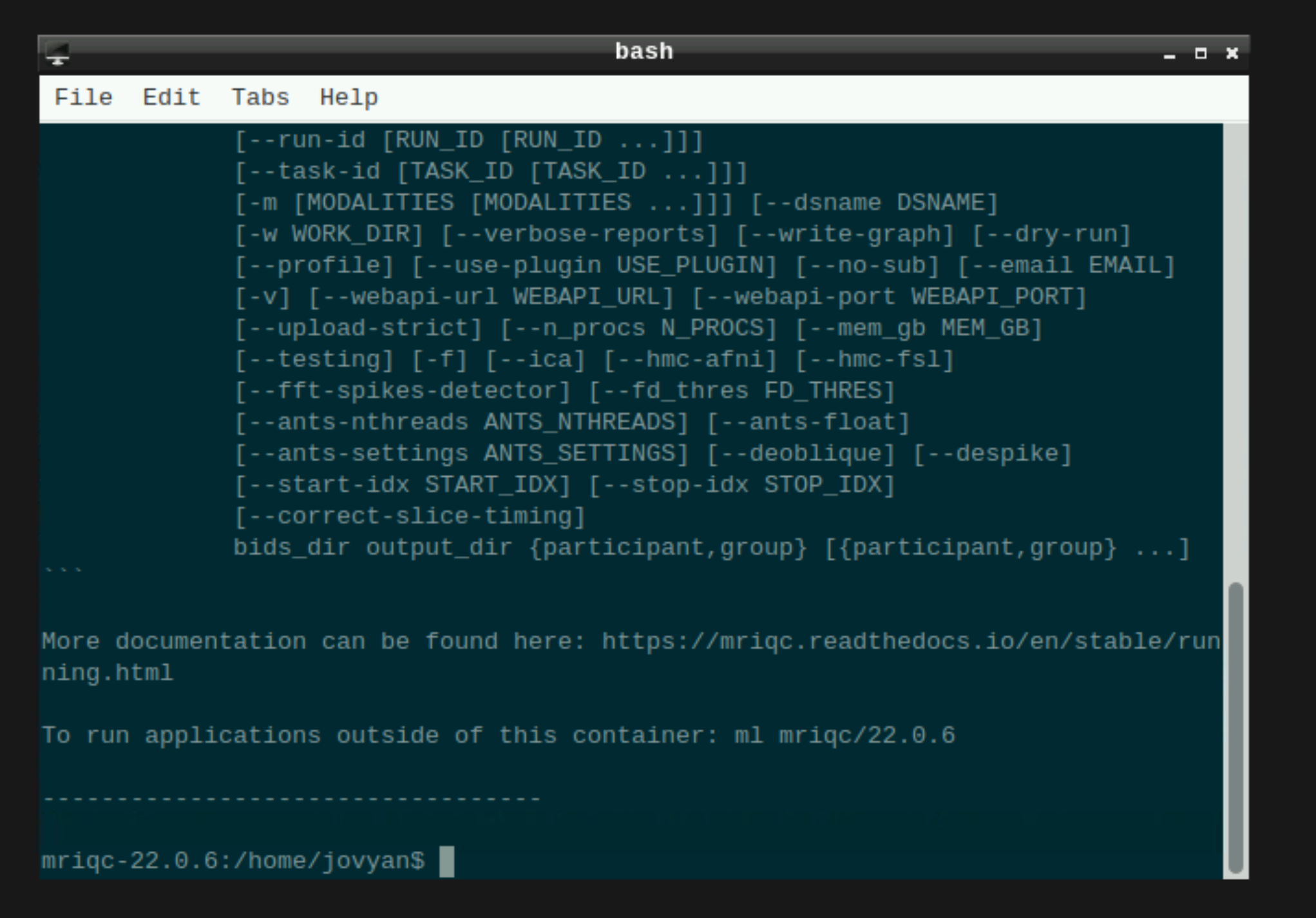
This will open a terminal window where MRIQC is ready and waiting at your fingertips - woohoo!
Setting up mriqc command#
You can now enter the following mriqc commands straight into the command line in the newly opened terminal window.
export ITK_GLOBAL_DEFAULT_NUMBER_OF_THREADS=6 # specify the number of threads you want to use

mriqc /path/to/your/data \ # this is the top level of your data folder
         /path/to/your/data/derivatives \ # where you want mriqc output to be saved
         participant \ # this tells mriqc to analyse at the participant level
         --participant-label 01 \ # put what ever participant labels you want to analyse
         --work-dir /path/to/work/directory \ #useful to specify so your home directory definitely does not get clogged
         --nprocs 6 --mem_gb 10000 \ # mriqc can be greedy on the hpc, make sure it is not
         -v # be verbal mriqc, tell me what you are doing
Note that above I have set the processor and memory limits. This is because I was in this case running on an HPC, and I used those commands to stop MRIQC from hogging all the resources. You may want to skip those inputs if you’re running MRIQC locally.
OR: if you have run all the participants and you just want the group level report, use these mriqc commands instead:
mriqc /path/to/your/data \ # this is the top level of your data folder
         /path/to/your/data/derivatives \ # where you want mriqc output to be saved. As you are running the group level analysis this folder should be prepopulated with the results of the participant level analysis
         group \ # this tells mriqc to agive you the group report
         -w /path/to/work/directory \ #useful to specify so your home directory definitely does not get clogged
         --nprocs 6 --mem_gb 10000 \ # mriqc can be greedy on the hpc, make sure it is not
         -v # be verbal mriqc, tell me what you are doing
Hit enter, and mriqc should now be merrily working away on your data :)