Neurodesk integrates several agentic coding agents to help scientists to develop analysis code.
This is the multi-page printable view of this section. Click here to print.
Scientific Agents
How to use scientific coding agents in Neurodesk
- 1: Opencode
- 2: Codex
- 3: Claude Claude
- 4: Notebook Intelligence
1 - Opencode
Use OpenCode in Neurodesk - the open source coding agent
start OpenCode on a terminal with opencode. Our Opencode wrapper script will walk you through setting it up depending on which models are available to you.
You can also configure your own model provider:
- ctrl+p
- and select switch model
- then ctrl+a to connect a different provider
You can also self-host a model in Ollama on your computer (recommended Apple Silicon with at least 64GB RAM). For this install Ollama on your system and start the neurodesktop container with these additional docker parameters:
--add-host=host.docker.internal:host-gateway \
-e OLLAMA_HOST="http://host.docker.internal:11434" \
This model works well:
ollama pull devstralWe need to extend the context window to make it usable for coding:
echo "FROM devstral:latest
PARAMETER num_ctx 16384" > Modelfile

ollama create devstral-16k -f Modelfile

rm Modelfile
Then switch the model to Ollama:
- ctrl+p
- and select switch model
you can watch the model working and for errors:
tail -f ~/.ollama/logs/server.log2 - Codex
Use Codex in Neurodesk - the coding agent from OpenAI
Start codex on a terminal with codex then authenticate with your OpenAI account. You need to use the Device Code option:
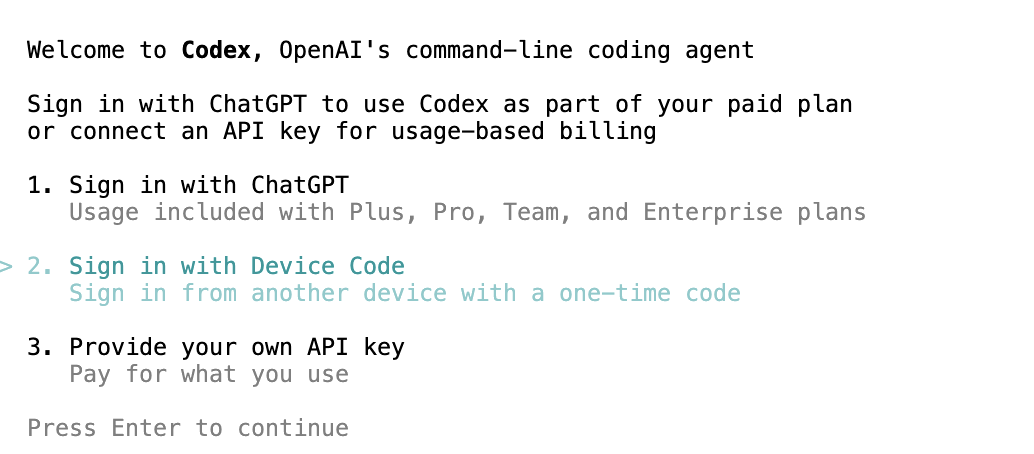
Then give it a task.
3 - Claude Claude
Use Claude Code in Neurodesk - the coding agent from Anthropic
start claude on a terminal and authenticate with an Anthropic subscription.
Note: claude outputs a long URL on the terminal and the jupyterhub terminal unfortunatley adds linebreaks in the URL which render it invalid. To fix this, copy the authentication URL into an editor and manually remove the linebreaks before pasting it into a browser.
accept that you trust the folder:
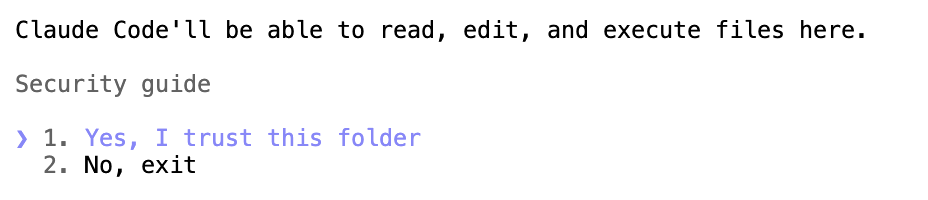
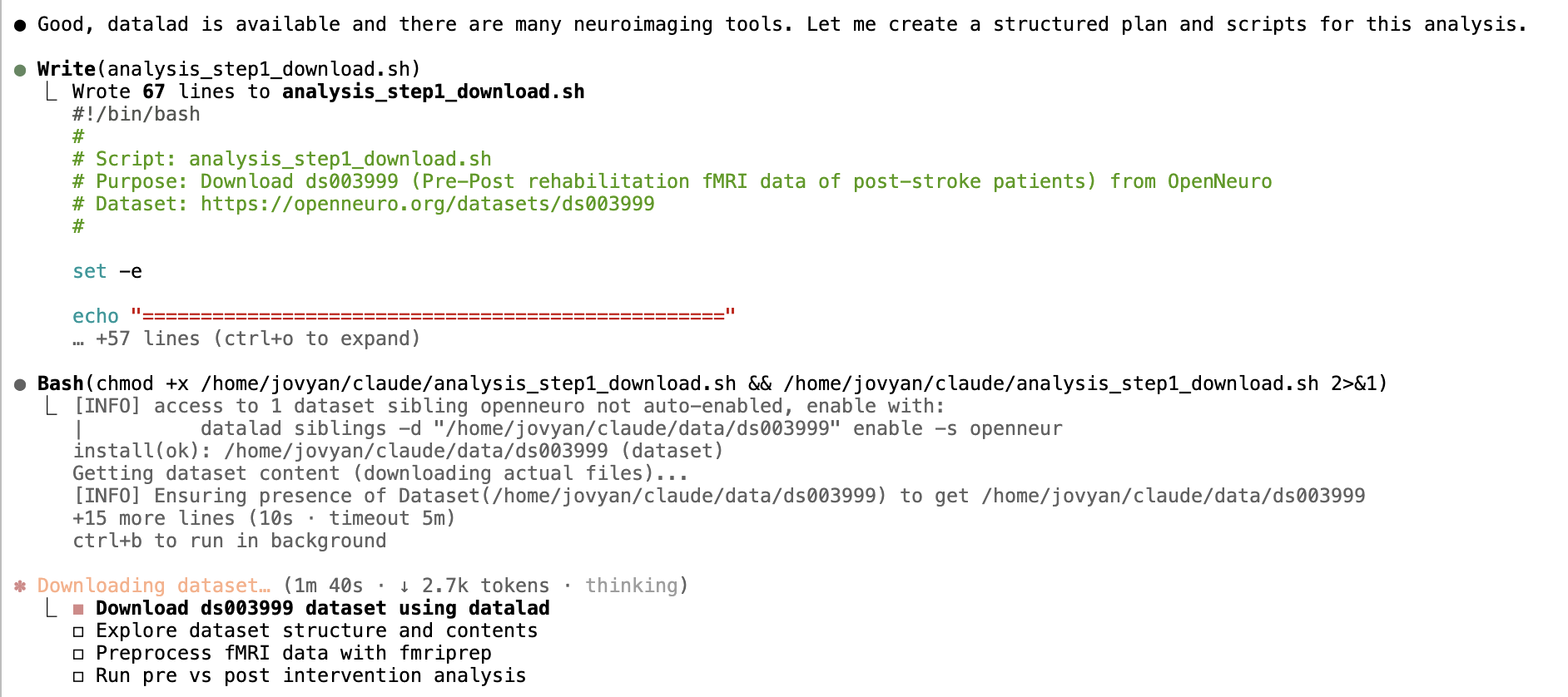
Then give it a task and approve the permission requests while it works away:
4 - Notebook Intelligence
Use the notebook intelligence plugin in Neurodesk - the notebook coding agent
Start Notebook Intelligence from the side panel:
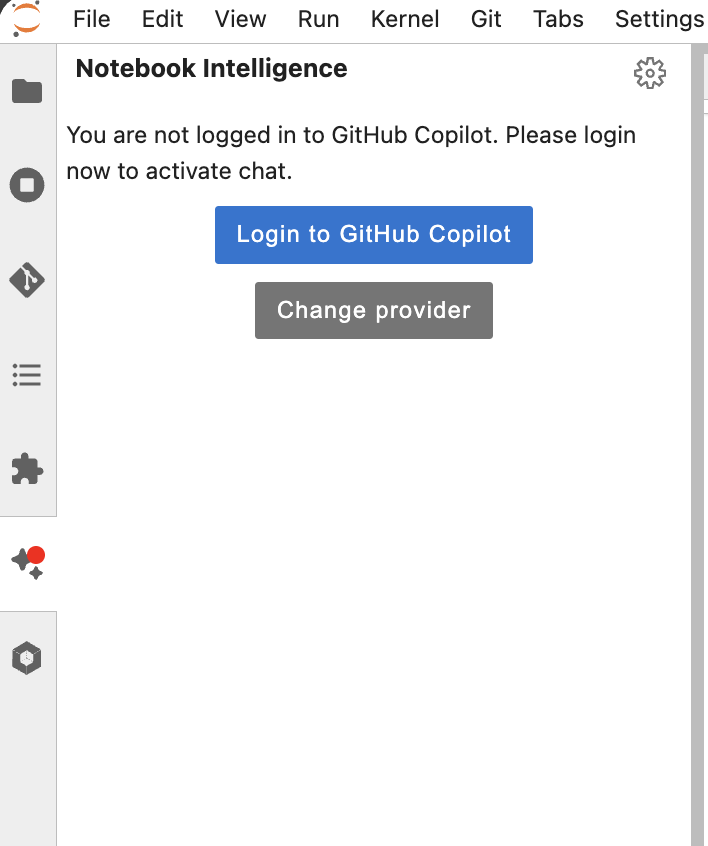
Then connect Github Copilot (or Change the model provider)
Switch to agent, select all tools (via the settings button next to the Agent Selector) and give it a task:
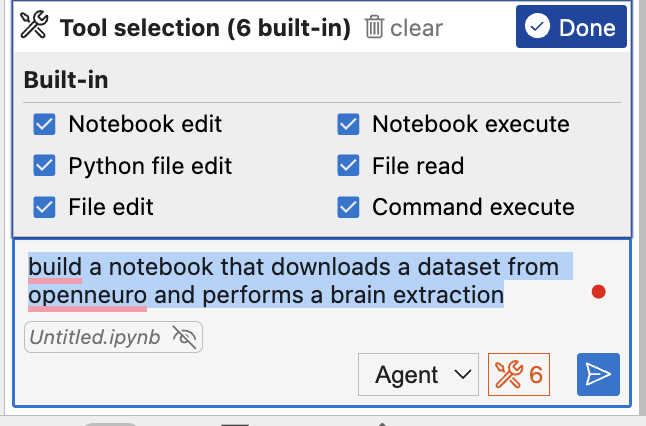
You can also ask it to fill in code in specific cells:
For a more capable model you can also switch to Claude in the settings:
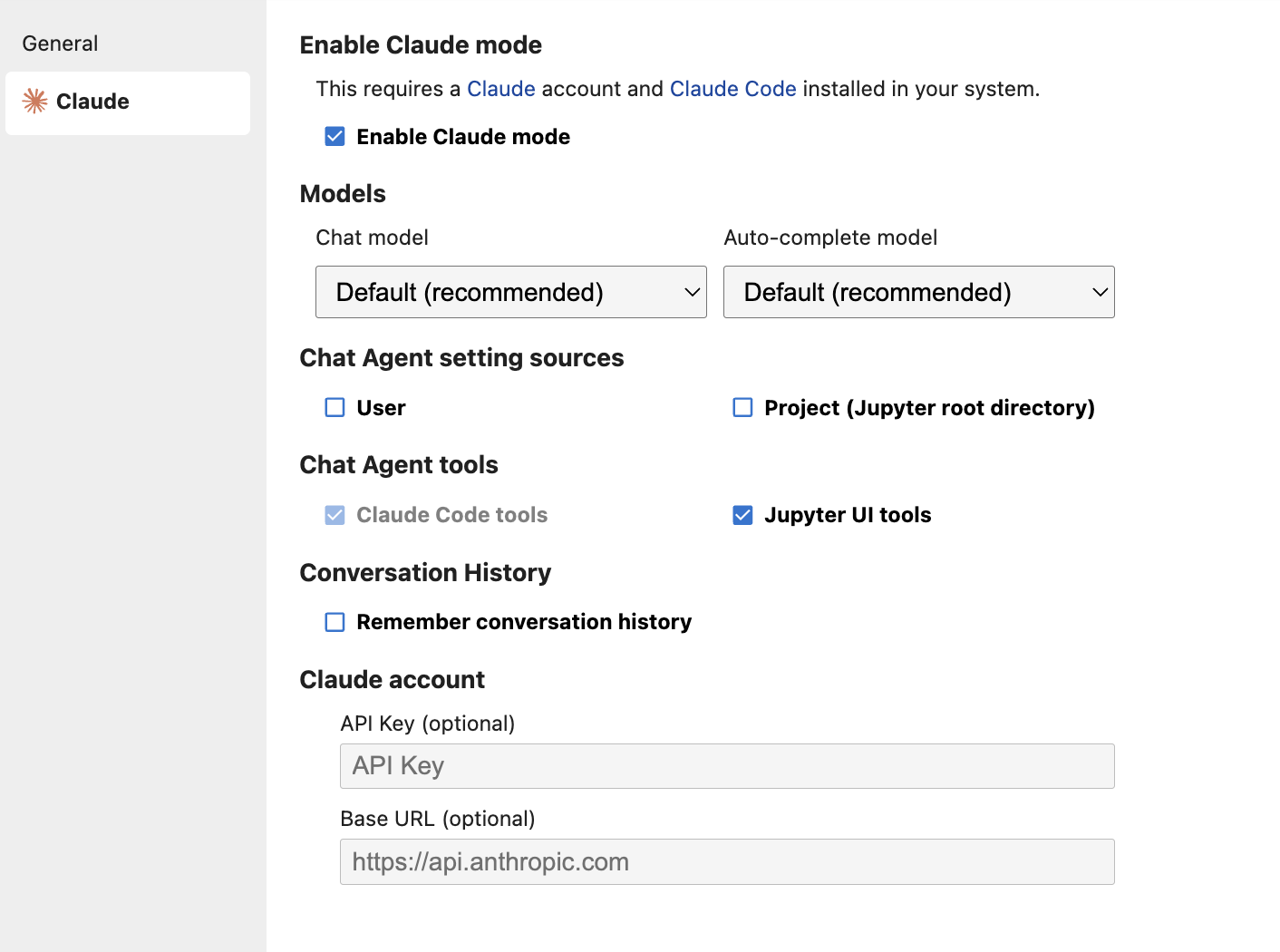
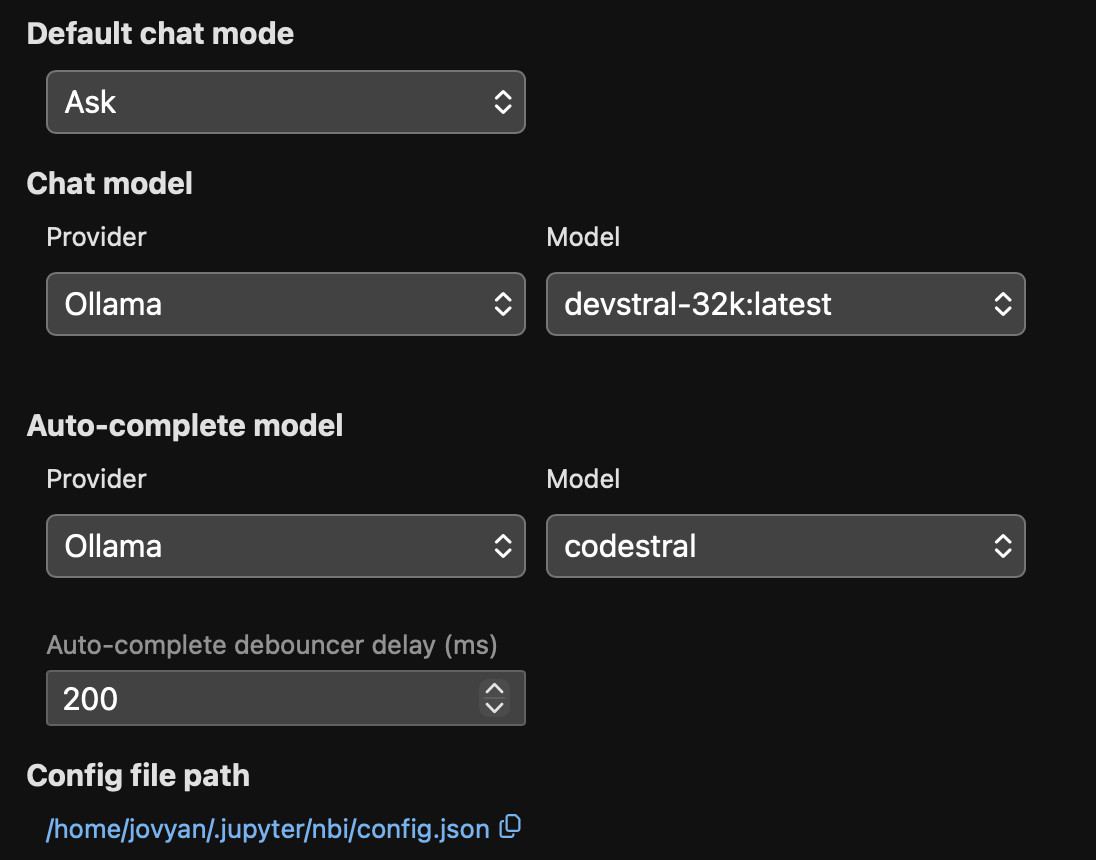
You can also self-host a model in Ollama on your computer. For this install Ollama on your system and start the neurodesktop container with these additional docker parameters:
--add-host=host.docker.internal:host-gateway \
-e OLLAMA_HOST="http://host.docker.internal:11434" \
This model works well:
ollama pull devstralWe need to extend the context window to make it usable for coding:
echo "FROM devstral:latest
PARAMETER num_ctx 16384" > Modelfile

ollama create devstral-16k -f Modelfile

rm Modelfile
Then switch to Ollama in the settings